In the browser
An extension for Chrome and Edge. It replaces the data right in the message box, before the site reads it, and re-checks what leaves: no proxy, no certificate. It also logs the AI services you visit and can block them.
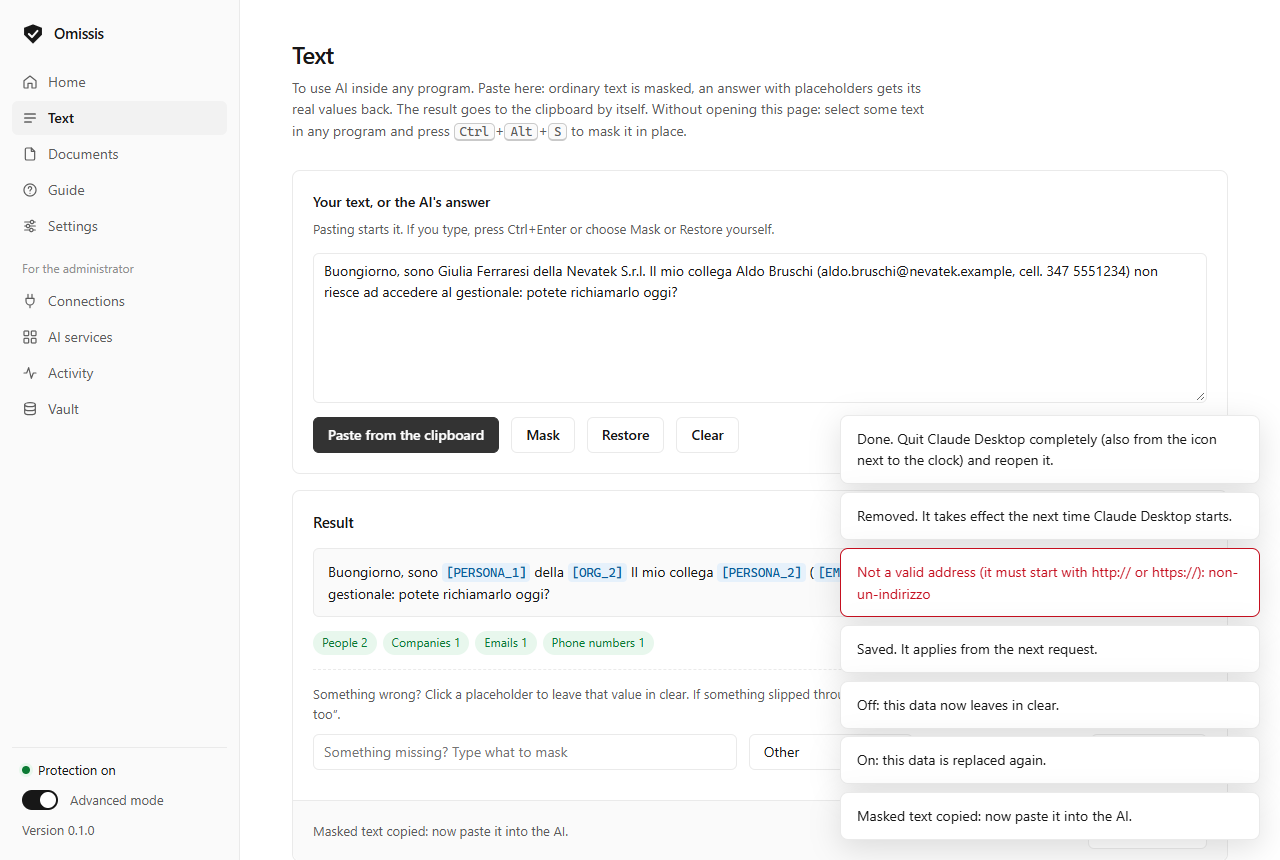
Omissis replaces names, e-mail addresses, phone numbers, tax codes, IBANs and passwords with placeholders before the text leaves your computer, and puts the real values back into the answer. You read the real text. The service only sees placeholders.
Write to Giulia Ferraresi[PERSONA_1] (giulia.ferraresi@nevatek.example[EMAIL_1], mobile 347 5551234[TELEFONO_1]) at Nevatek S.r.l.[ORG_1]: the refund goes to IBAN IT60X0542811101000000123456[IBAN_1].
Made-up data. The replacement happens on your computer.
Three steps, all on your computer. The AI service does not know Omissis exists.
A model trained for Italian, plus checksum rules, finds personal data and replaces it with labels such as [PERSONA_1].
The link between label and value stays in a vault on your PC. The same person always gets the same label, even days later.
When the answer arrives, labels turn back into the real values: in the text, and also in the files and commands an agent writes for you.
If protection does not answer, the message does not leave. Never in clear by mistake.
One engine, several ways to use it. Each has been verified to a different degree, and we say so.
An extension for Chrome and Edge. It replaces the data right in the message box, before the site reads it, and re-checks what leaves: no proxy, no certificate. It also logs the AI services you visit and can block them.
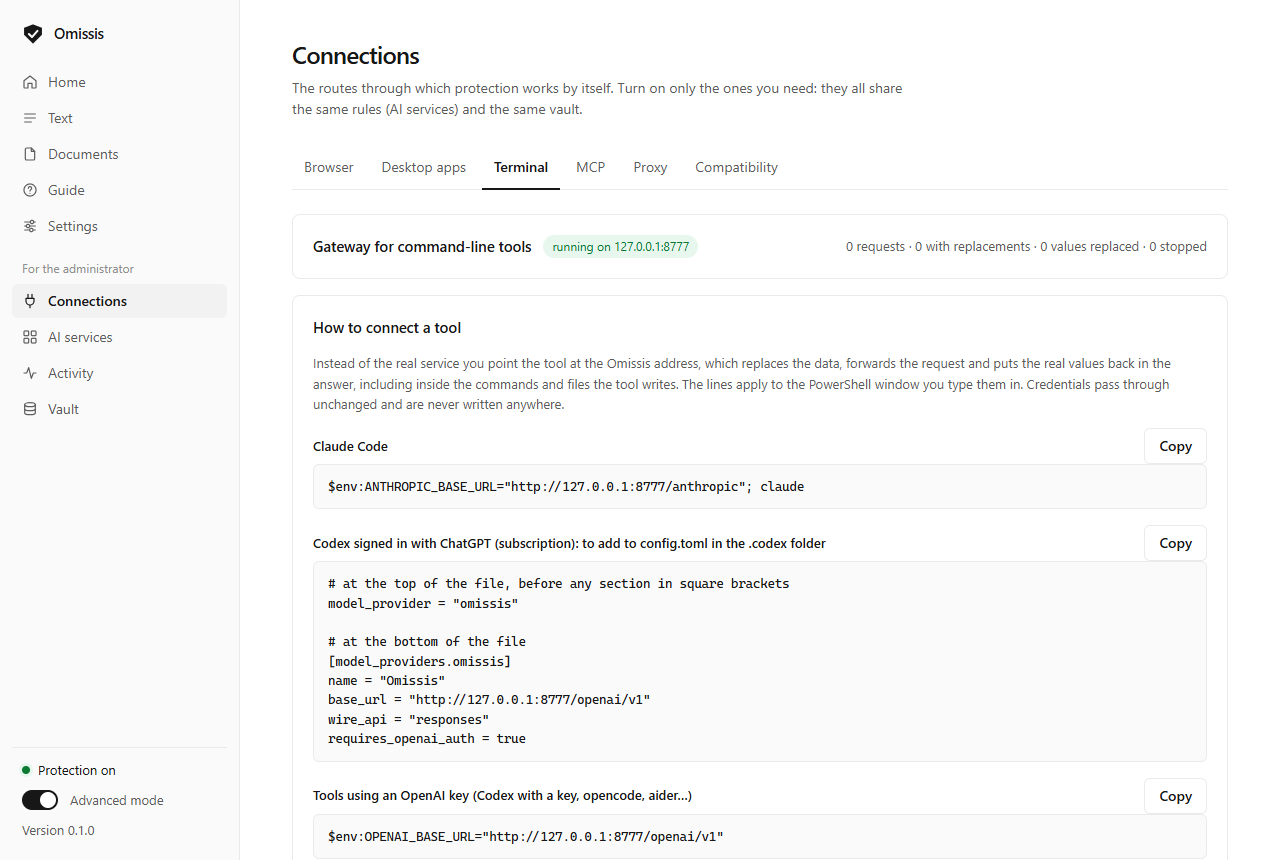
A local address for Claude Code, Codex, opencode, aider and similar tools, subscription sign-ins included. It masks prompts, files read and past commands; it restores the text and whatever the agent writes. If you already have a gateway you keep it: Omissis sits in front of it.
Ctrl+Alt+M masks the copied text, Ctrl+Alt+R restores the real values. Works with any program and any subscription.
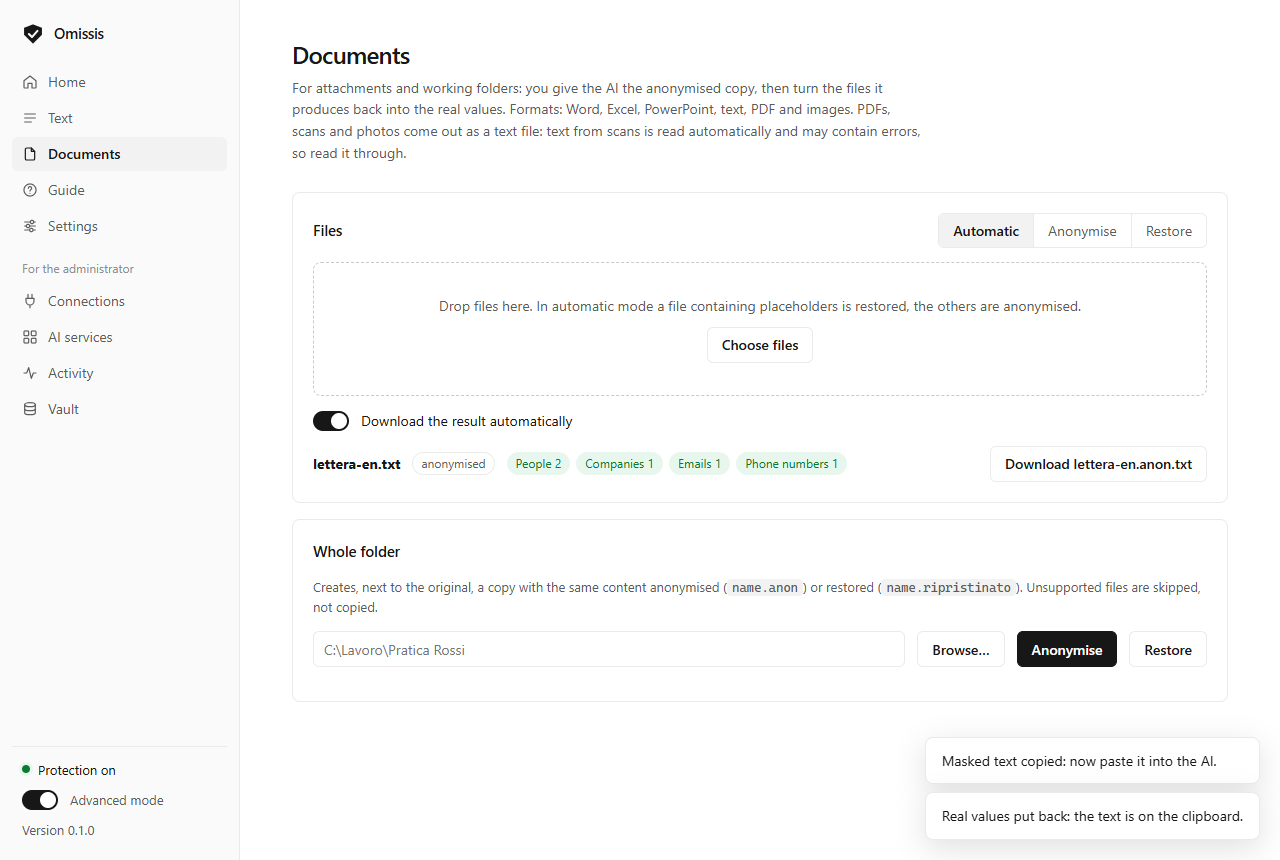
Word, Excel, PowerPoint, PDF and whole folders: you give the AI the anonymised copy, formatting intact. Scans are read on your PC.
Two ways, with the app used as usual and on your own subscription. The connector replaces what you type in the Claude, ChatGPT and Copilot apps for Windows: verified on the ChatGPT app, not yet on the others. The MCP server has Omissis read your documents, and the assistant only receives placeholders: for Claude Desktop, Cursor, Codex and the other apps that support it, tested live with Claude Code.
A proxy for programs that accept a local certificate, with an inventory of the AI tools on the PC and of the services contacted (Shadow AI).
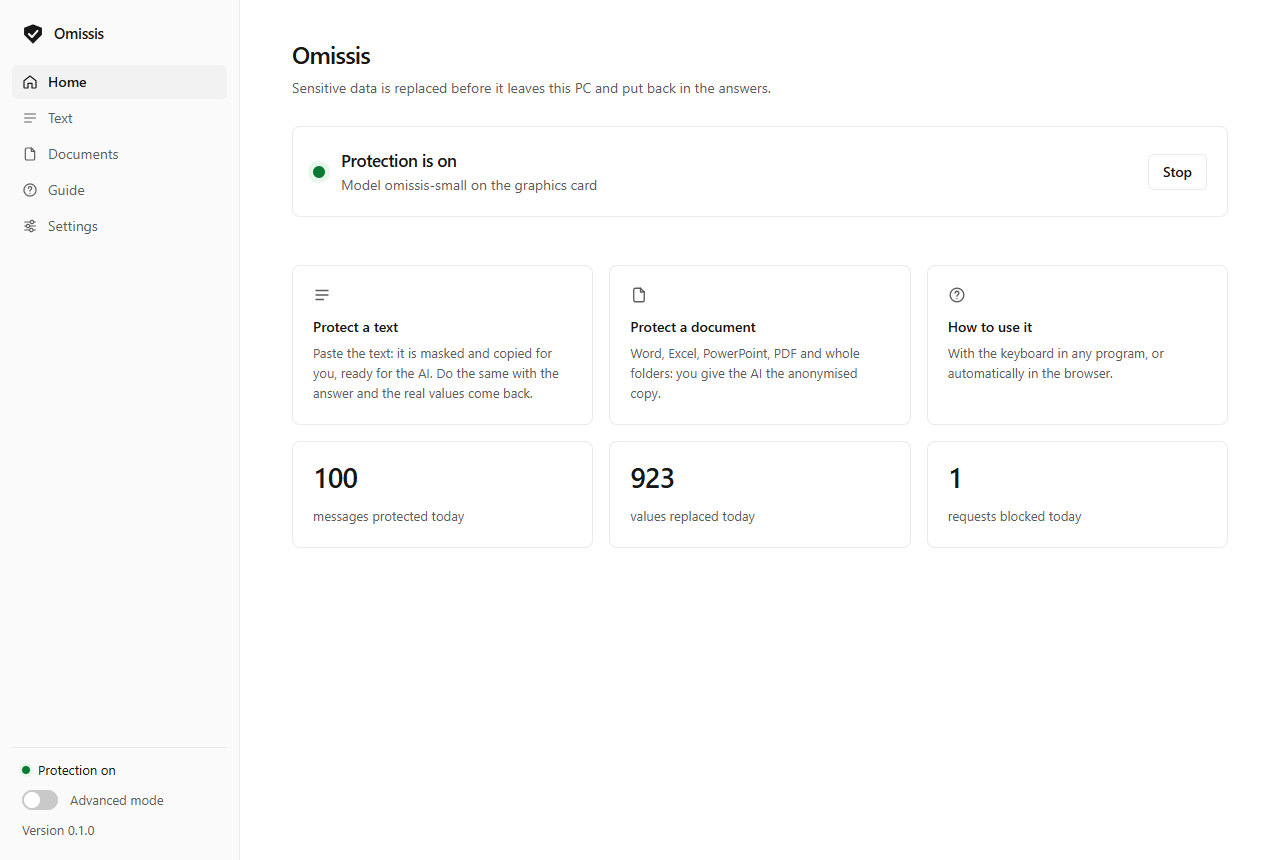
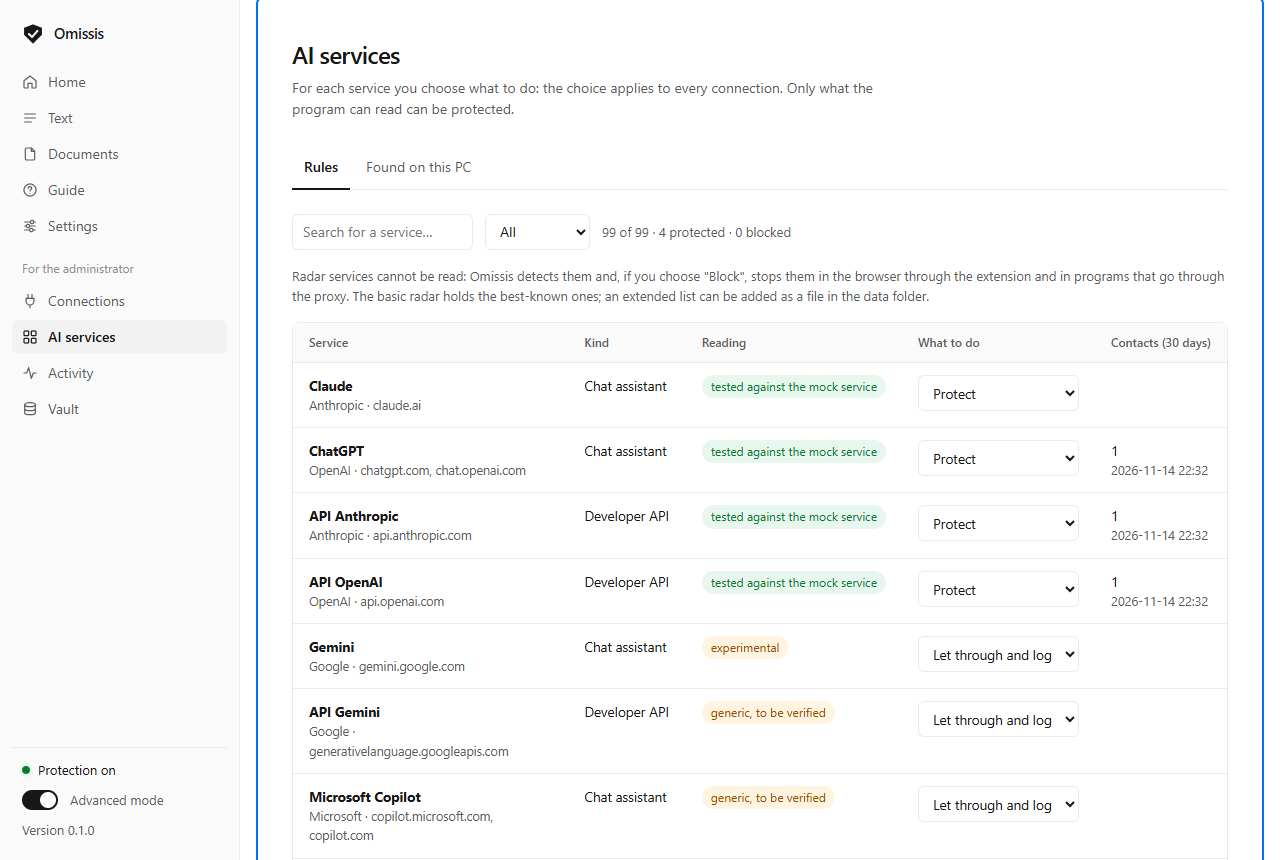
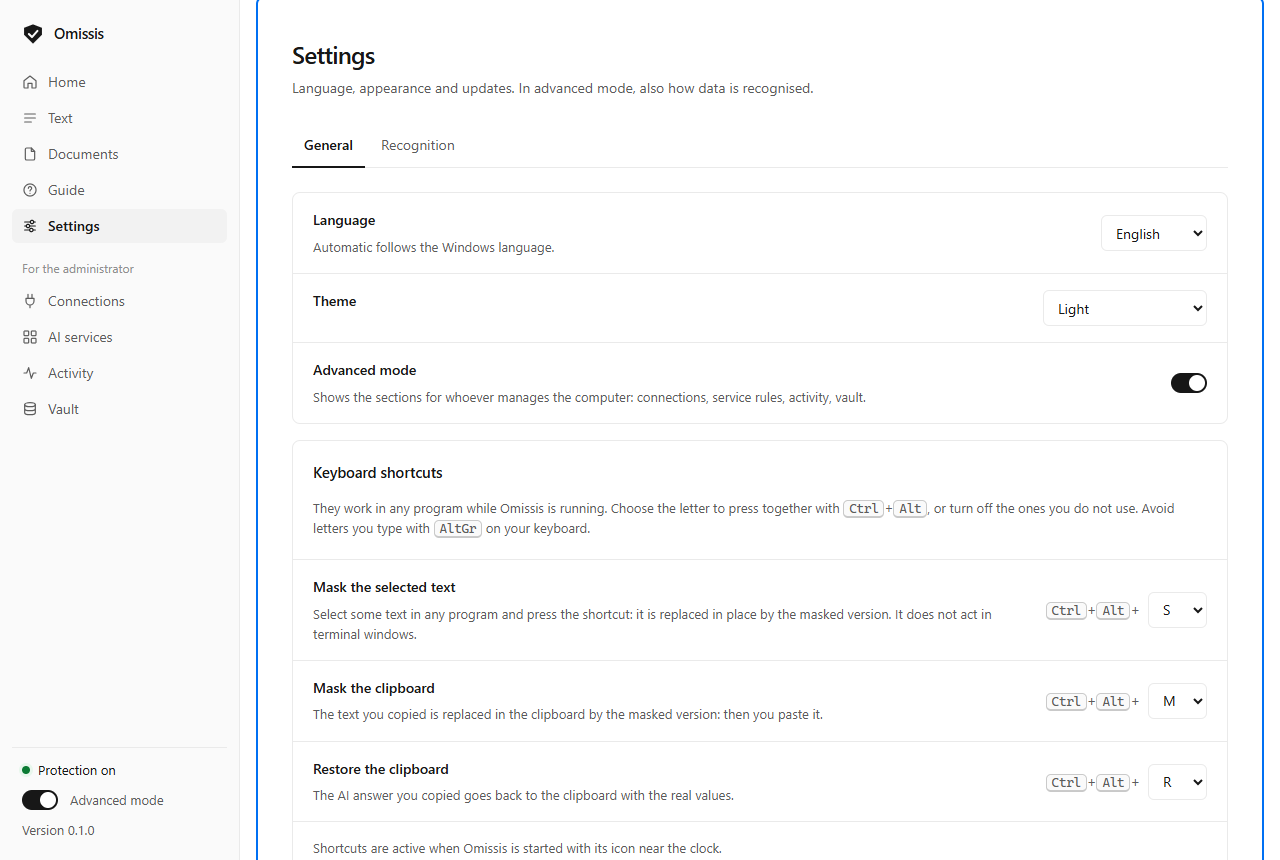
The program opens in simple mode: status, text, documents and guide. Advanced mode adds the activity log, per-service policies and the inventory. The interface is in English and Italian.
A classifier trained from mmBERT on about one million texts: 200,000 synthetic Italian documents written by our own generator and the training splits of nine public datasets, in 23 languages. Everything is synthetic except two collections of court decisions, which contain names that are already public in the decisions.
| omissis-base | omissis-small | |
|---|---|---|
| Parameters | 307.8 M | 140.9 M |
| Size | 1.2 GB | 537 MB |
| Time for a short text, on CPU | about 61 ms | about 26 ms |
| Known sensitive values that end up masked* | 98.8 % | 98.8 % |
| Share of text masked* | 17.0 % | 17.2 % |
| Company names in free text masked* | 94 % | 92 % |
| Public benchmark PIIMB, average score** | 0.911 | 0.912 |
* On a private set of 2,000 real IT help-desk texts, not releasable; the thresholds were chosen on a second set, kept apart. "Known values" are those that can be derived from the data attached to each text, not every sensitive value in it. Precision on real text has not been measured yet: it needs a hand-labelled set, which is being prepared. ** Measured by us on 13 November 2026 with the PIIMB method (about 150,000 sentences in six tasks, at character level, model weights alone): the best of the other 36 models listed scores 0.836. Ours is first on average, not in every task, and the training splits of the same datasets are among its training data; the test splits were never used.
The same texts and the same measuring code for everyone. omissis-small has a tenth of the parameters of OpenAI's privacy-filter and, on the same graphics card, takes 0.5 ms per text against 32.5.
| Model | Parameters | PIIMB, average | PIIMB, Italian sentences | Real texts: known values protected | Time per text* |
|---|---|---|---|---|---|
| omissis-small | 141 M | 0.912 | 0.927 | 98.8 % | 0.5 ms |
| omissis-base | 308 M | 0.911 | 0.925 | 98.8 % | 0.6 ms |
| OpenMed privacy-filter-multilingual-v2 | 1,400 M | 0.836 | 0.879 | 81.5 % | 16.7 ms |
| bardsai eu-pii-anonimization-multilang | 278 M | 0.685 | 0.705 | 88.3 % | 0.4 ms |
| openai/privacy-filter | 1,400 M | 0.662 | 0.811 | 79.0 % | 32.5 ms |
* Averaged over the 150,000 benchmark sentences, on an RTX 4080 SUPER card, with our measuring code; on the CPU alone omissis-small takes about 26 ms for a short text. Measured on 13 November 2026. The PIIMB average is measured by us for Omissis and published by PIIMB for the others; the Italian sentences were measured by us for all of them. The real texts are a private set of 2,000 IT help-desk texts, the field Omissis is built for: the comparison is honest, not neutral. For Omissis the figure is that of the whole program (model plus rules); the omissis-base model alone reaches 95.1 %. We are not first everywhere: in three PIIMB tasks out of six another model does better, and on CVs bardsai is ahead of us when we keep every label on. All the numbers, their limits and the commands to redo the measurements.
people · e-mail · phone numbers · addresses · postcodes · towns · dates of birth
tax codes · VAT numbers · documents · number plates · VINs · case numbers · land-registry data · utility accounts
IBANs · cards · card security codes
company names, including single-word ones
passwords and keys · host names · IP and MAC addresses · domains · URLs · accounts · cloud identifiers · serial numbers
dates · times · age · gender · titles · occupation · education · origin · places · health · religion · political views · orientation
everything is on by default · if the AI has to work on exactly that data you can turn off payments, companies, IT data or case files · people, contacts and passwords can never be turned off
A privacy tool is judged by what it demonstrates, not by what it promises. This is where things stand today.
| Part | Automated tests | Against a real service |
|---|---|---|
| Terminal gateway | 33 checks, including tool-call arguments, signed reasoning, Codex on a subscription and a gateway of your own | Yes: Claude Code on a subscription, a message and a file-writing action, with made-up data. Codex on a subscription not yet |
| MCP server for documents | 27 checks: no real value goes back to the assistant, limited folders, nothing with Omissis off | Yes: Claude Code read a made-up report seeing only placeholders. Inside Claude Desktop not yet |
| Browser extension | 40 checks in a real browser against a mock service | Not yet |
| Desktop-app connector | 37 checks on a test app | Yes for ChatGPT: a message of made-up data reached the service as placeholders only. Claude Desktop not tested yet |
| Documents and scans | 21 checks: no original value in the output files, identical restore | Not applicable: it only works locally |
| Encrypted vault | 21 checks: no readable value in the file, stable labels after conversion | Not applicable: it only works locally |
| Proxy | 9 formats against a mock service | Not yet |
| Central console | 154 checks on the console and 42 on the PC side: rules accepted only by choice, per customer and per single PC, guided tour and guide inside the page, alerts, a hash-chained log, Microsoft sign-in against a mock service | Not yet: a real Entra ID, a real Teams or Slack and a real mail server, and two different PCs on a network |
Everything that runs on the PCs is free and open, in a company too and with no limit on the number of computers. Only the central console is paid, beyond 5 PCs or for several customers.
Scripts to install it silently and already configured, from an RMM, Intune or Group Policy, with the settings users must not change locked by the administrator. Free, in the repository.
One PC lends its model to the others on the network: those with little memory neither load nor download it. Free, turned on from the panel.
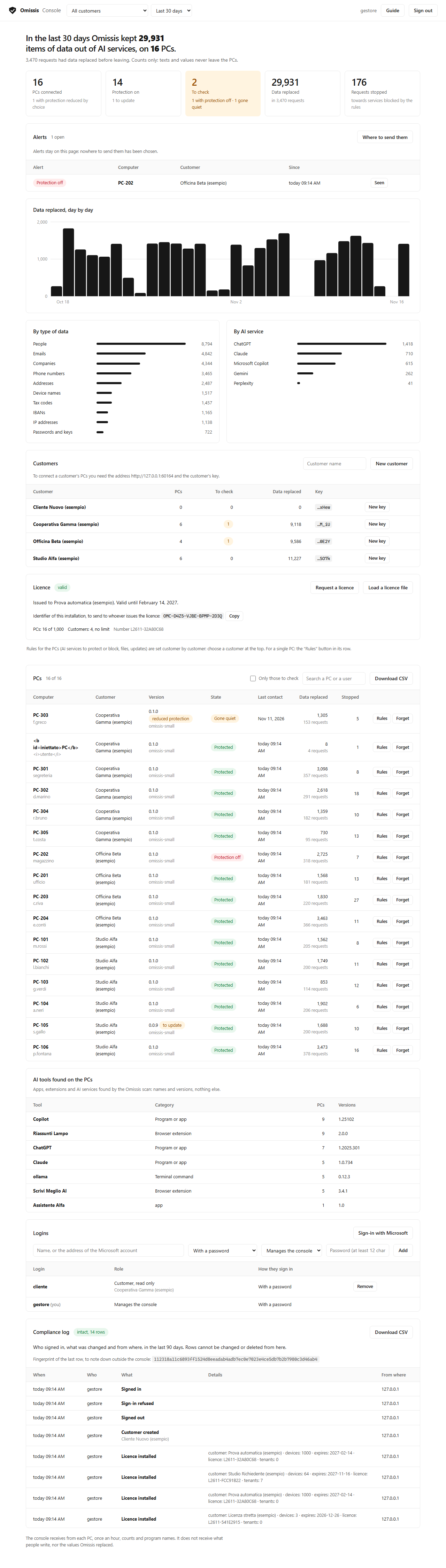
All the PCs on one page: which ones have protection on and how much data stayed away from AI services, never the text itself. From there you send rules to the PCs that choose to accept them, per customer or per single PC, get alerts (protection off, a PC gone quiet, a new AI tool) and keep a compliance log in which any tampering shows. You install it on a Windows computer of your own. Free up to 5 PCs of one customer; with a licence beyond that, and for those who look after several customers.
Sector lists and formats (law firms, healthcare, tax, IT support), evidence for GDPR, NIS2 and AI Act compliance, help with the rollout.
Guide for organisations · The central console · Putting the console into service
For a console licence, a tailored solution, a partnership or a report:
Code and model are public under the Apache 2.0 licence. Requires 64-bit Windows 10 or 11, 8 GB of memory (16 for the most accurate model) and 1 to 2 GB of disk; on an ordinary office PC choose the small model. The installer needs neither administrator rights nor Python: on first start it downloads the model, then it works offline and keeps itself up to date with signed updates. No GPU needed. The interface is in English and Italian; the guides are in both, the full reference of the program in Italian.
One 53 MB file. In English and Italian. It is not code-signed yet, so Windows shows the SmartScreen warning.
GitHub →The code, the guide for running from source, the scripts to roll it out to many PCs and the automated tests.
GitHub →One 14 MB file, for those who manage several PCs. A compiled program, free up to 5 PCs of one customer; its code is not public.
GitHub →537 MB. The recommended model for computers without a GPU.
Hugging Face →1.2 GB. The most accurate model.
Hugging Face →The guides for those who use it, those who roll it out in an organisation and those who install the console.
omissis.eu →